Christmas / Tools / Visualizer
New · AI decor visualizer
See your home decorated for Christmas.
Upload a photo of a room or the front of your house, pick a style, and get a decorated version back in about a minute. It keeps your actual space and adds the garland, lights, and greenery — so you can see the look before you buy a thing.
 Before
 After
AfterTry it with your own photo
A clear, well-lit shot of a room or the full front of the house, straight-on, works best. You'll get a before/after you can drag to compare, plus shoppable picks for the look.
For the best result
- Use a clear, well-lit photo (daytime and bright works best).
- Show the whole room or the full front of the house, straight-on.
- Pick a spot that isn't already decorated.
- Avoid blurry, dark, or heavily cropped shots.
Real results
See it on any home, in any style
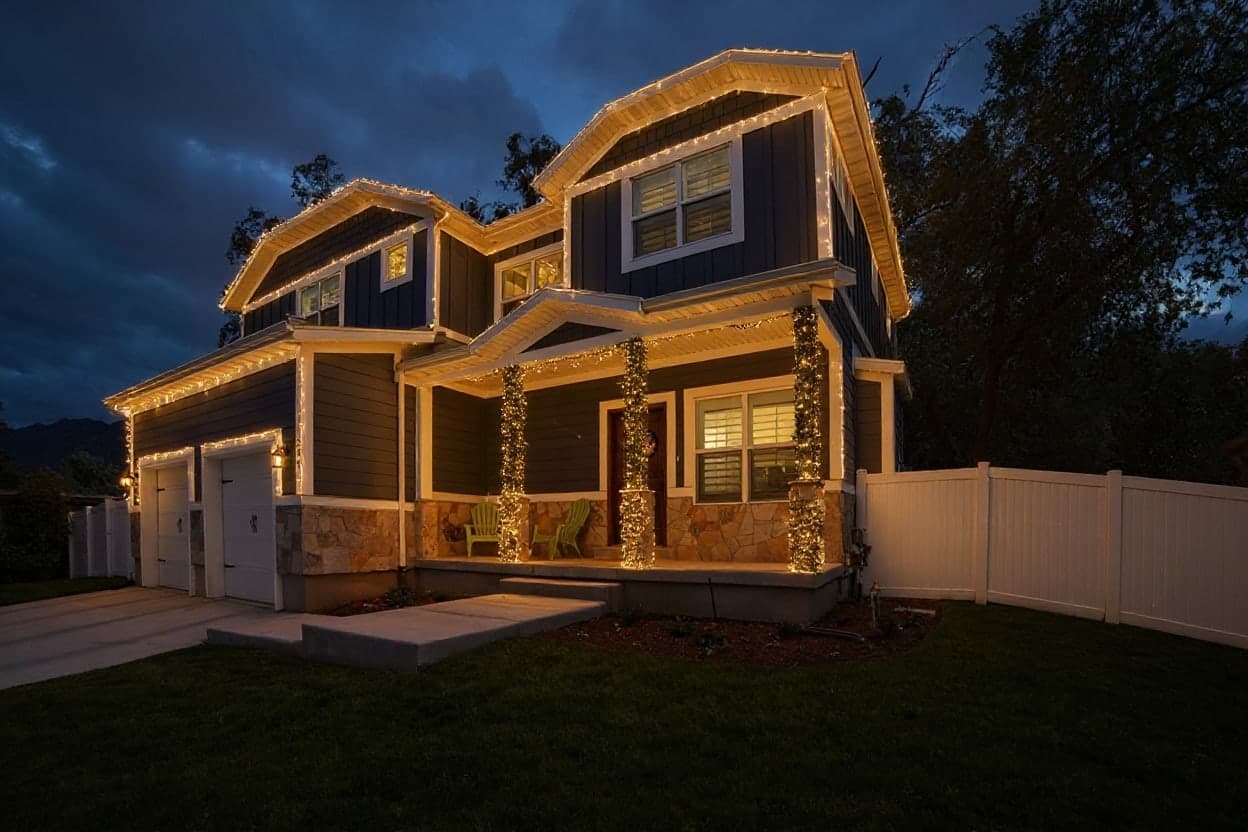
Every example here is real output from the visualizer's own model — the same one that decorates your photo.
 Before
 After
After Before
 After
After Before
 After
After Before
 After
AfterHow it works
Step 1
Upload a photo
A clear, well-lit shot of a room or the full front of the house, straight-on, works best.
Step 2
Pick a style
Classic, natural materials, modern minimalist, or let it read your home and match it.
Step 3
See the before/after
Drag the slider to compare, then shop picks that suit the look you landed on.
A quick note: this is a new tool and the results are AI-generated, so think of them as inspiration, not a literal shopping list. It works best on uncluttered, well-lit photos.
The guide
Choosing a photo that works
The visualizer keeps your room or house and adds decorations to it, so it can only work with what the photo shows. Daylight or bright lamplight gives the best results. Dusk and night photos drift more, because the model has less of your home to hold on to.
For the outside of the house, stand across the street and take it straight on, with the whole roofline in the frame. Angled shots and close-ups of one corner are where it is most likely to invent a window.
For a room, stand in a corner so the wall you would decorate fills most of the frame, turn the lamps on, and clear the obvious clutter. People and pets are better out of the shot.
Picking a style
Auto looks at your home and chooses a look that suits it, which is the right place to start. Classic traditional is the red, green, and gold Christmas most people grew up with. Natural materials sticks to evergreen, wood, dried orange, and pinecone. Modern minimalist is restrained on purpose: a slim tree, a little greenery, and a lot of room left alone.
The model tends to decorate lightly the first time. If the result looks subdued, the Add more decorations button layers on more garland, lights, and greenery, up to two extra rounds from your original photo.
What it is good at, and what it isn't
It is very good at answering the question you actually have: will this look good on my house? It is not a contractor drawing. Now and then it moves a light fixture, adds a window, or changes a railing. Treat the result as a mood board with your home in it.
Under each result are product picks matched to what is in the render, and if you want the quantities worked out, the plan builder turns the look into a shopping list from your own measurements.
Questions about the visualizer
- Is the Christmas decor visualizer free?
- Yes. It asks for your email the first time so the decorated image can be sent to you, and you can make up to 15 renders a day.
- How long does it take?
- Usually under a minute from upload to the finished before and after.
- Do you keep my photo?
- We do not save your original photo. It is shrunk in your browser and sent to the image model to make the render. The decorated version comes back as a link, which is also emailed to you.
- Can it decorate the outside of my house?
- Yes. Choose exterior and use a straight-on daytime photo with the whole roofline in view. It adds roofline lights, a wreath, garland, and lit windows.
- Are the products the exact ones in the picture?
- No. The picks are real products chosen to suit the look the render landed on. Think of them as a starting point for the style, not a match for every item.
- Why does my house look slightly different?
- AI image models sometimes change small details. Straight-on, well-lit photos keep it closest to your real home.